Relays

Your real machine. Your tools. Your boundary.

Relays let agents work where files, browsers, desktops, services, and GPUs already exist—without uploading the project into a disposable agent cloud.

PawFlow Desktop Relay session
The agent can work on a real environment, not only an API sandbox.

Why a Relay?

Keep orchestration separate from execution.

The PawFlow runtime coordinates agents and policy. A connected Relay executes explicit tools next to the workspace.

No stale copyRead the live repo or filesystem rather than an exported ZIP.
No forced migrationKeep private services, data, GPUs, and specialist tools on their existing machines.
Controlled accessChoose read-only or writable access and expose only the tool surfaces the task needs.
PawFlow Runtime
agents · policy · shared context
Controlled Relay
explicit tools · scoped workspace
Real machine
files · shell · browser · desktop · services

Capabilities

One route to the surfaces agents actually need.

01

Filesystem + terminal

Search, inspect, edit, build, test, and operate against the live workspace.
02

Browser + desktop

Use browser automation, screen tools, and a full desktop or noVNC session when APIs are not enough.

03

Services + GPUs

Reach local applications, private endpoints, media pipelines, and accelerator hosts without relocating them.
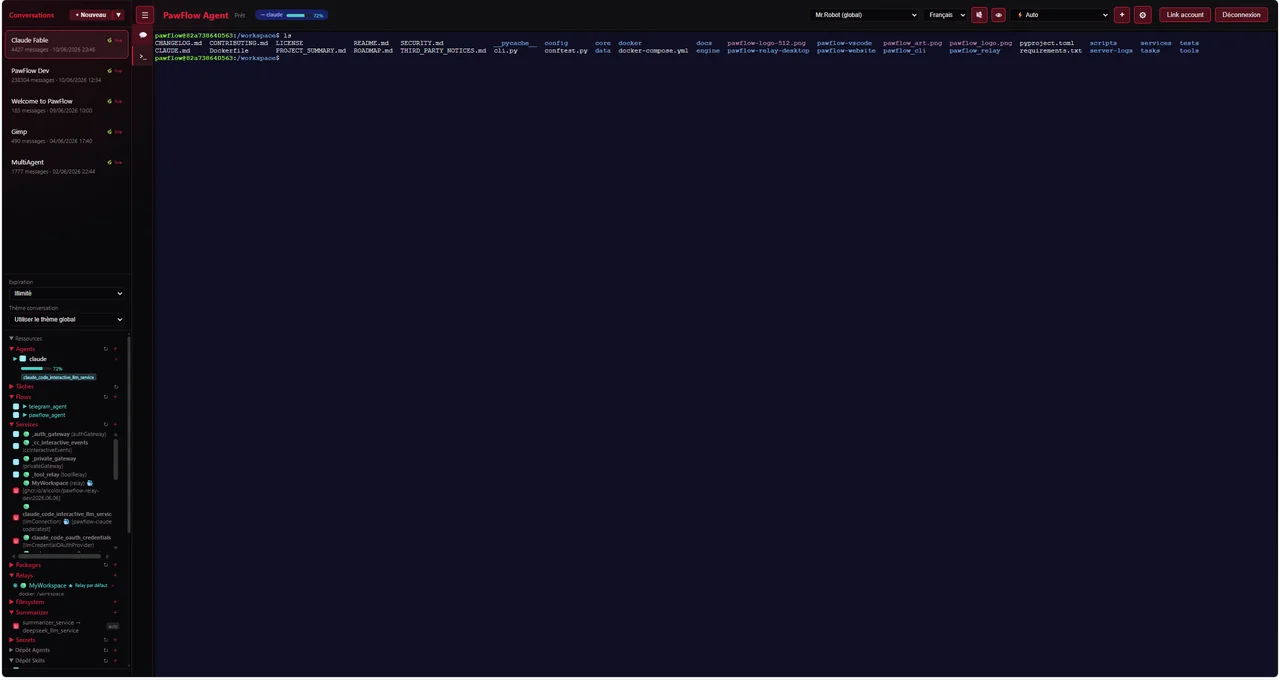
PawFlow Relay terminal choices
Connect the server itself, a container workspace, a workstation, or a remote host.

Deployment choices

Put the boundary where it belongs.

Server RelayWork directly in server-side workspaces for a pure remote self-hosted setup.
Relay DesktopConnect a workstation and expose approved local or container tool surfaces through a GUI client.
Relay CLIConnect terminal-only servers, build hosts, or GPU machines without a desktop application.
Read Relay setup guides →

First real task

Connect the machine where the work already lives.

Install a Relay, select a workspace, and control the capabilities available to the agent.

Connect a remote Relay