Tools and context
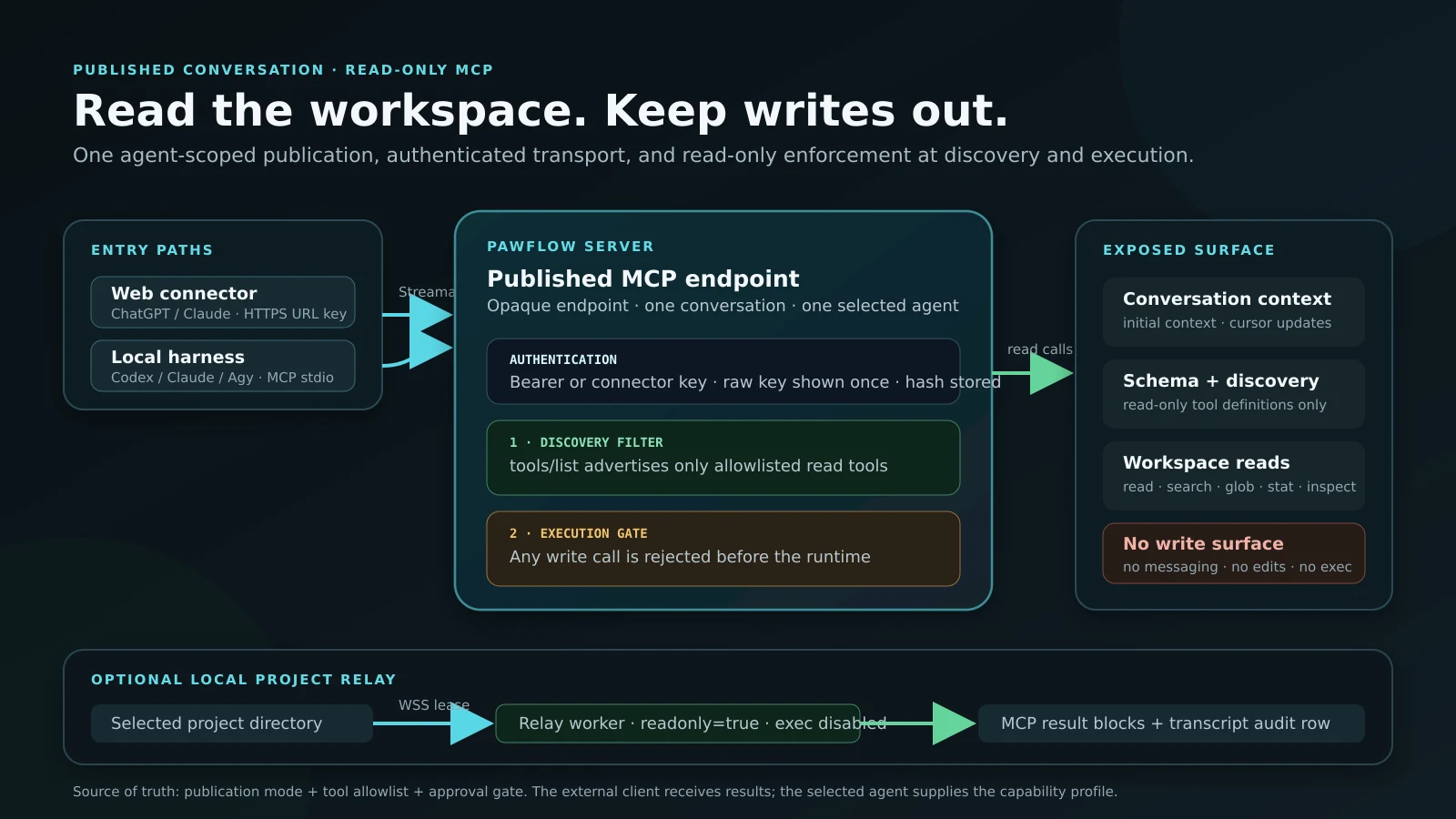
Give compatible LLM clients controlled access to PawFlow tools, prompts, and live Relay-backed workspaces.
Connect MCP PawFlow
Integrations
Mix providers, clients, protocols, and infrastructure without rebuilding your agents and durable context around each one.
External interfaces
PawFlow can expose its governed runtime and connect external agent processes without discarding durable state.
Give compatible LLM clients controlled access to PawFlow tools, prompts, and live Relay-backed workspaces.
Connect MCPLaunch an explicitly configured ACP v1 agent, negotiate its session and capabilities, and expose only approved PawFlow MCP or client filesystem methods.
Connect ACPPublish and discover agent capabilities for agent-to-agent collaboration across systems.
A2A referenceEmbed PawFlow agents into frontends and applications while retaining runtime state and control.
Embed an agentWorks with your stack
OpenAI Chat Completions and Responses, Anthropic, OmniRoute, DeepSeek, and OpenAI-compatible endpoints.
Claude Code, Codex, Antigravity/Agy, Gemini CLI, managed native-hook variants, and installed ACP v1 agent commands.
Web, PawCode CLI, VS Code, Android, Telegram, API, and embedded AG-UI experiences.
Docker, VPS, local workstation, remote machines, private services, and GPU hosts.
Local configuration or external secret providers with permissions, provider-owned refresh policy, and policy gating.
Live workspace demo
ChatGPT → MCP → PawFlow → Relay → MyWorkspace.
Keep the shared state
Configure providers per agent or conversation while context, tools, permissions, and clients remain in PawFlow.